> ## Documentation Index
> Fetch the complete documentation index at: https://docs.blockscout.com/llms.txt
> Use this file to discover all available pages before exploring further.
# REST API Endpoints
REST API methods are now available via the [multichain PRO API.](/devs/pro-api)
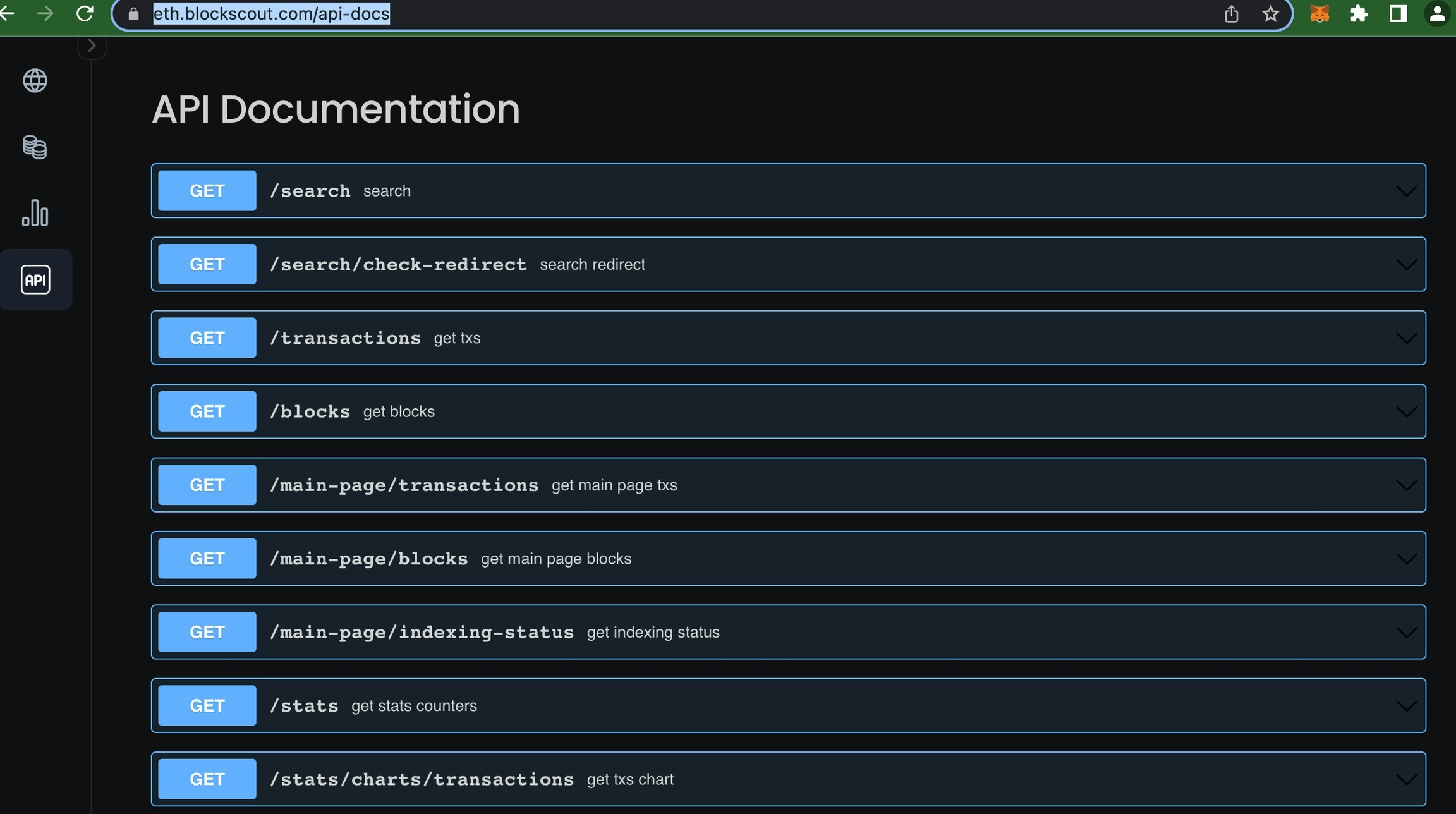
REST API methods are used to render the UI for new versions of Blockscout. These can be accessed per instance and used to get many types of information. Methods parameters and schemas are available at *[https://instance-name/api-docs](https://instance-name/api-docs)* (ie [https://eth.blockscout.com/api-docs](https://eth.blockscout.com/api-docs))
Additional information:
* [Stats queries](/devs/apis/rest/stats-api): Access pre-calculated statistics for a chain
* [Interpreter queries](/devs/apis/rest/interpreter-api): Transactions populated with contract names, methods, etc for easy interpretation

 ## Pagination
Blockscout uses the keyset pagination method to quickly return results. By default an API response returns the first 50 results. To access additional results (in groups of 50), add the `next_page_params` to your query.
For example, open [https://eth.blockscout.com/api/v2/transactions](https://eth.blockscout.com/api/v2/transactions) and scroll to the bottom of the response.
## Pagination
Blockscout uses the keyset pagination method to quickly return results. By default an API response returns the first 50 results. To access additional results (in groups of 50), add the `next_page_params` to your query.
For example, open [https://eth.blockscout.com/api/v2/transactions](https://eth.blockscout.com/api/v2/transactions) and scroll to the bottom of the response.
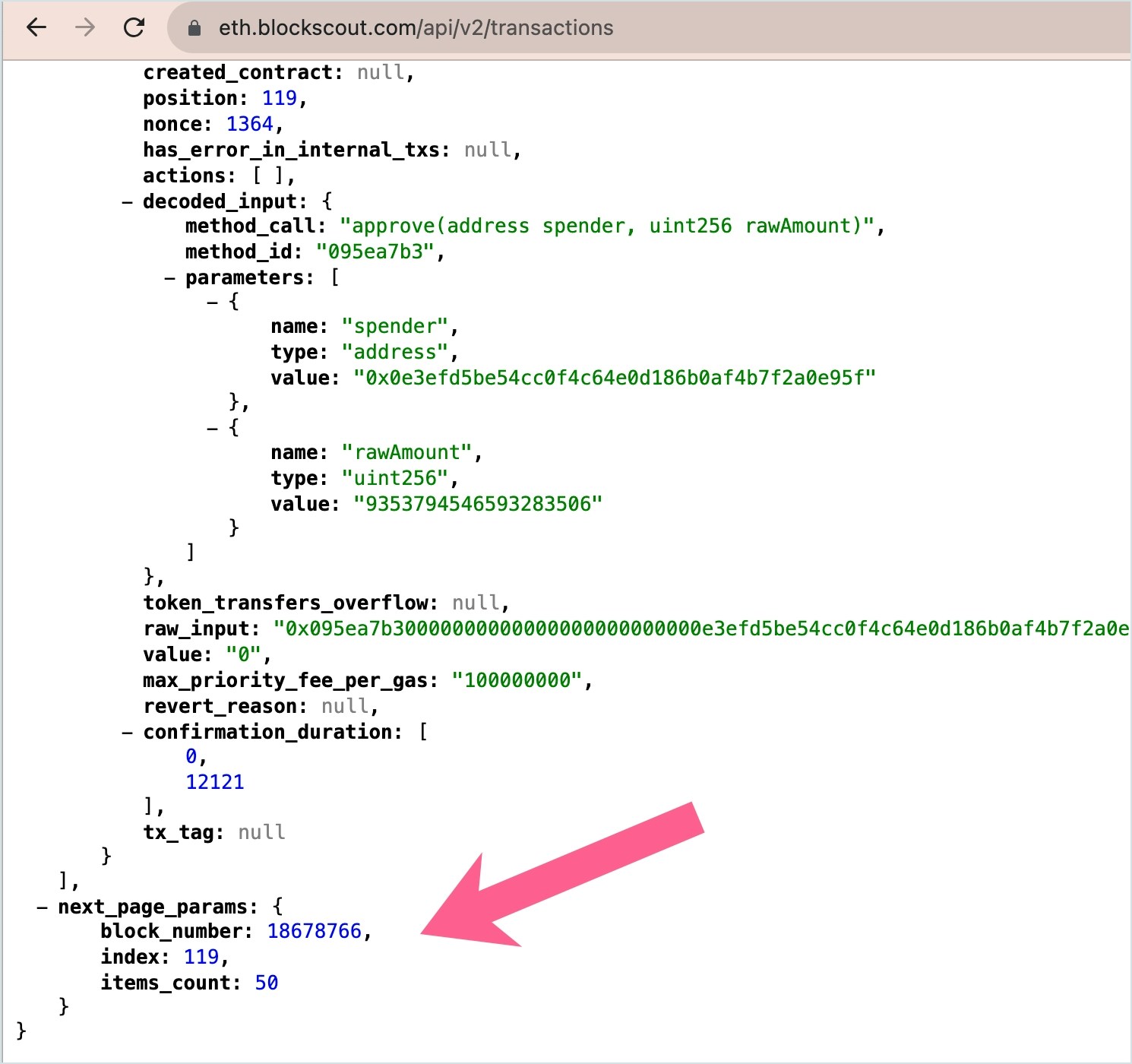 You will see the `next_page_params` object. Add the parameters from this object to your next query to receive the next 50 results.
[https://eth.blockscout.com/api/v2/transactions?block\_number=18678766\&index=119\&items\_count=50](https://eth.blockscout.com/api/v2/transactions?block_number=18678766\&index=119\&items_count=50)
Repeat this process to continue receiving results in groups of 50 (remove params and substitute the new `next_page_params` found in the body of the query).
You will see the `next_page_params` object. Add the parameters from this object to your next query to receive the next 50 results.
[https://eth.blockscout.com/api/v2/transactions?block\_number=18678766\&index=119\&items\_count=50](https://eth.blockscout.com/api/v2/transactions?block_number=18678766\&index=119\&items_count=50)
Repeat this process to continue receiving results in groups of 50 (remove params and substitute the new `next_page_params` found in the body of the query).
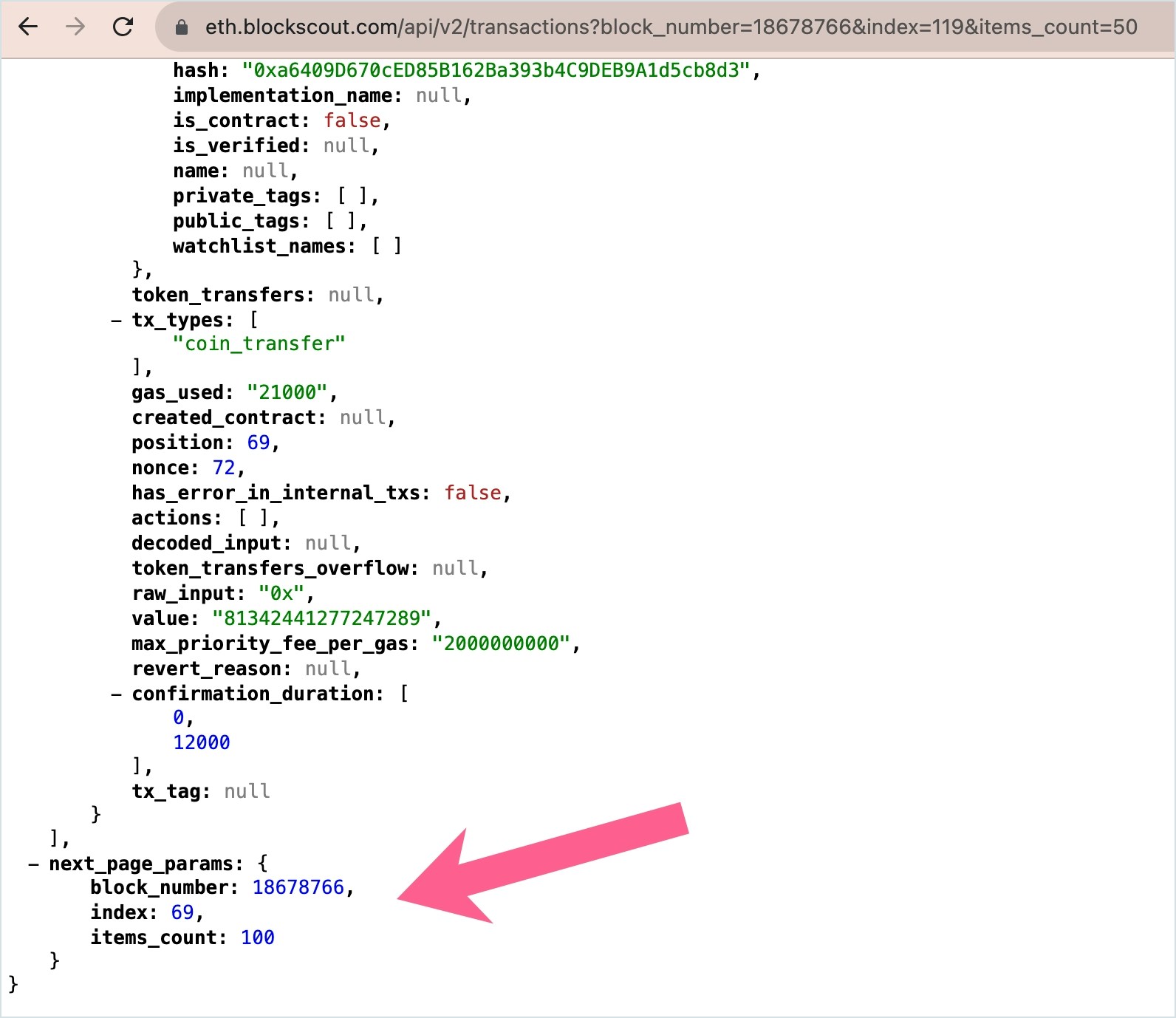 In this example, the query to receive the next 50 results would be:
[https://eth.blockscout.com/api/v2/transactions?block\_number=18678766\&index=69\&items\_count=100](https://eth.blockscout.com/api/v2/transactions?block_number=18678766\&index=69\&items_count=100)
In this example, the query to receive the next 50 results would be:
[https://eth.blockscout.com/api/v2/transactions?block\_number=18678766\&index=69\&items\_count=100](https://eth.blockscout.com/api/v2/transactions?block_number=18678766\&index=69\&items_count=100)