> ## Documentation Index
> Fetch the complete documentation index at: https://docs.blockscout.com/llms.txt
> Use this file to discover all available pages before exploring further.
# Autoscout Explorer Launchpad
> Deploy a production-ready instance on the cloud in 5 minutes
Want to try Autoscout for Free? Request test credits in the [Blockscout Discord](https://discord.gg/blockscout) `#autoscout` channel or email us at [community@blockscout.com](mailto:community@blockscout.com) and we'll top up your account.
Autoscout is a self-service launchpad for chains and rollups looking to deploy an explorer quickly on hosted infrastructure. It is optimized for many chain types including Optimistic and Arbitrum Orbit rollups and zk rollups including Polygon zkEVM and zkSync.
Get Started at [https://deploy.blockscout.com](https://deploy.blockscout.com).
### Get Started with Autoscout
1. **Create an account:** To get started, go to [https://deploy.blockscout.com/](https://deploy.blockscout.com/), create an account, and login to get started.
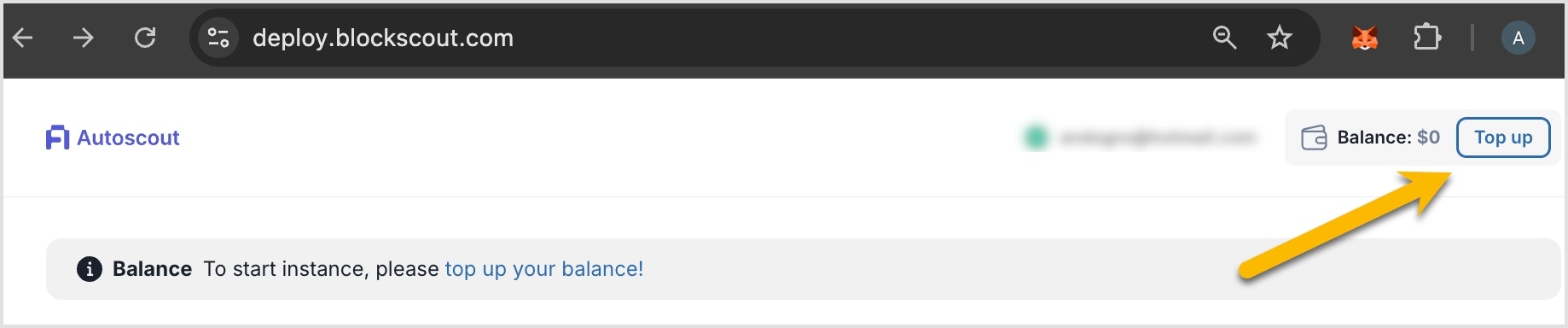
2. **Purchase credits:** You will need credits to launch your explorer. Each credit costs \$1.00. Purchase via Stripe with a credit card or via crypto. Credits are deducted in real time, see the pricing table below for costs.
* **You can start with any amount of credits to test your instance. Instances cost between 0.49 - 1.35 credits per hour, depending on the size.**
3. **Add a new instance:** Click the Add instance button to get started.
4. **Add your network info**: See below for info on configuration and parameters.
5. **Deploy your explorer:** Click save and deploy to start the deployment process. In 5-10 minutes your explorer will be live and indexing your chain. Once deployed you can access your explorer link.
6. See [Creating an Instance](/using-blockscout/creating-an-instance) for additional details.
## Autoscout Pricing
Autoscout is a pay-as-you-go service. **Start with any amount of credits** and **increase the balance at any time**.
If your account runs out of credits your instance will be stopped until you top your account back up. If this happens, you will need to relaunch (and reindex) your instance once you add additional credits. Instances will scale based on daily transactions, so be sure to monitor and top up accordingly.
 | Size | Hourly | Daily | Weekly | Monthly |
| ------------------------ | ------ | ----- | ------ | ------- |
| Small \<50K tx per day | .485 | 12 | 84 | 349 |
| Medium \<150K tx per day | .972 | 24 | 168 | 649 |
| Large \<1M tx per day | 1.32 | 32 | 224 | 949 |
## HDD Billing
In addition to billing based on tx/day, instances are allotted an amount of free disc space as follows:
Instance Size Free Disk Quotas
* Small - 512 GB
* Medium - 1024 GB
* Large - 2048 GB
The status tab shows current HD consumption.
**Once an instance exceeds the Free GN amount, additional credits are required to cover overages for additional usage. Typically it makes sense for an instance to upgrade to a higher tier once these limits are reached. Overage costs are billed at \$0.00015 per GB hour.**
| Size | Hourly | Daily | Weekly | Monthly |
| ------------------------ | ------ | ----- | ------ | ------- |
| Small \<50K tx per day | .485 | 12 | 84 | 349 |
| Medium \<150K tx per day | .972 | 24 | 168 | 649 |
| Large \<1M tx per day | 1.32 | 32 | 224 | 949 |
## HDD Billing
In addition to billing based on tx/day, instances are allotted an amount of free disc space as follows:
Instance Size Free Disk Quotas
* Small - 512 GB
* Medium - 1024 GB
* Large - 2048 GB
The status tab shows current HD consumption.
**Once an instance exceeds the Free GN amount, additional credits are required to cover overages for additional usage. Typically it makes sense for an instance to upgrade to a higher tier once these limits are reached. Overage costs are billed at \$0.00015 per GB hour.**